Lumen Player

A cinematic interface built for remote-first navigation.

Role: Senior Product Designer
Platform: Roku, Android
Team: Product Manager, 2 Engineers, QA
Responsibilities: Product strategy, UX architecture, interaction design, UI design, prototyping, usability testing

unsplash-image

The Challenge

Smart TV interfaces often inherit patterns from mobile and desktop products.


However, television experiences operate under entirely different constraints
- Users sit 3–4 meters away from the screen
- Interaction happens through directional remotes
- Users expect instant content discovery

Many existing TV interfaces create friction because:
- Navigation requires too many clicks
- Content information is hidden behind multiple screens
- Remote interactions feel unintuitive

The Goal

Design a TV-first streaming interface that makes browsing content effortless while keeping the experience cinematic and immersive.

The product needed to support three key behaviors
1. Browsing live TV channels
2. Discovering shows, movies etc.
3. OTT streaming service functionality like: Netflix, HBO, Disney...


Success metrics included
- Faster time to content
- Higher session engagement
- Improved navigation clarity

Understanding the TV Context

Designing for TV requires a fundamentally different UX approach compared to mobile or desktop.
Unlike touch interfaces, TV interaction relies on focus states.

Focus-Based Navigation
- Current focus
- Navigation direction

10-Foot Readability
- Larger typography
- High contrast
- Simplified layouts

Visual Content Discovery
On television, users primarily discover content through visual browsing rather than search.
Large artwork and cinematic layouts were prioritized to support this behavior.

Product Architecture

The product experience was structured into four primary areas:

1. Live TV Guide
Schedule-based browsing for live programming.

2. Channel Navigation
Quick switching between available networks.

3. On-Demand Discovery
Browsing movies and series.

4. Video Playback
Minimal and distraction-free controls.

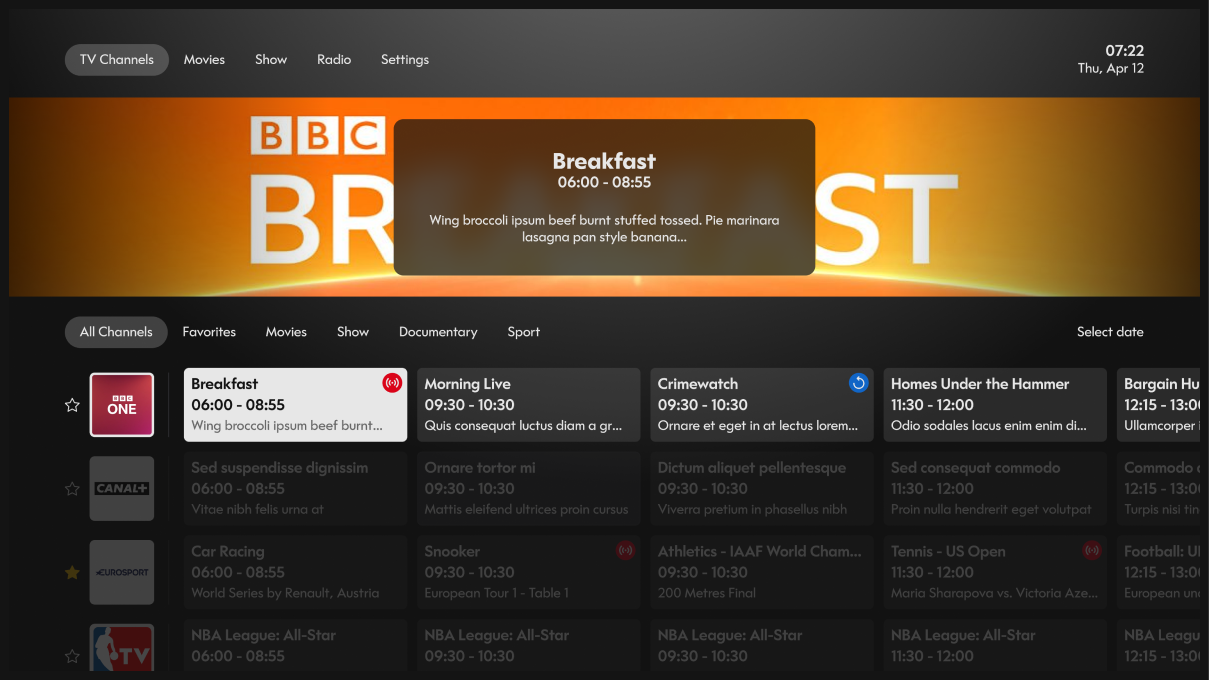
Designing the TV Guide

Timeline-Based Layout
Programs are displayed across a horizontal timeline so users can easily scan upcoming shows.

Channel Anchoring
Channels remain fixed on the left side of the layout, making navigation predictable.

Contextual Program Details
When a program receives focus, additional information appears in a floating preview card without forcing users to open another screen.

tv 1a

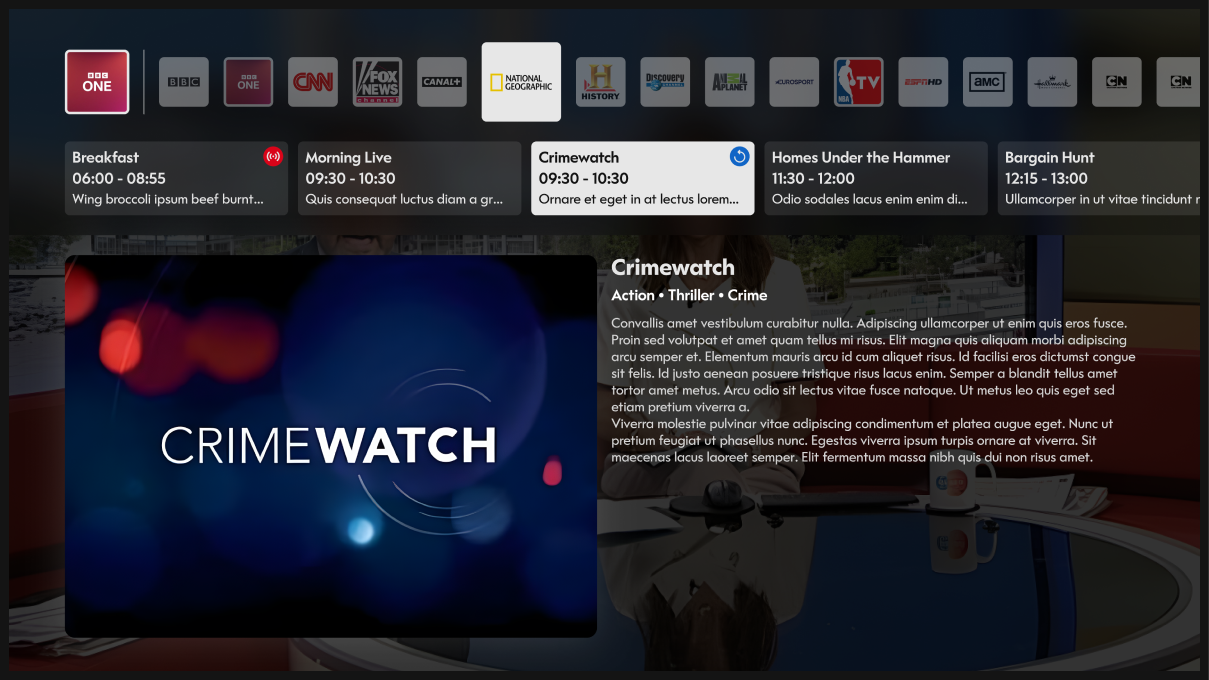
Channel Browsing

Users frequently navigate TV by switching channels.

To support this behavior, the design introduces a horizontal channel carousel with recognizable network logos.

Benefits
- Faster recognition compared to text lists
- Familiar interaction model
- Reduced cognitive load

Selected channels scale slightly larger to provide clear focus feedback.

tv 2a

Content Discovery

For movies and series, the experience shifts to a visual-first browsing approach.
Large cinematic banners showcase featured content.

The design prioritizes
- Strong visual storytelling
- Minimal text clutter
- Quick access to playback

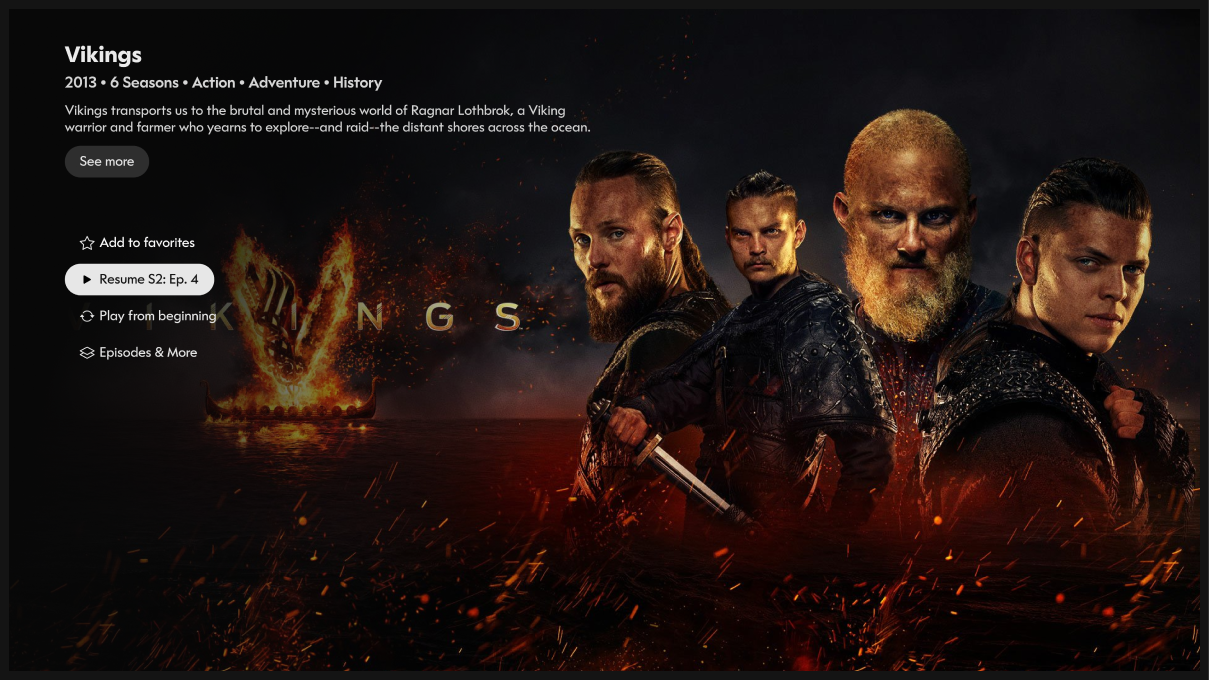
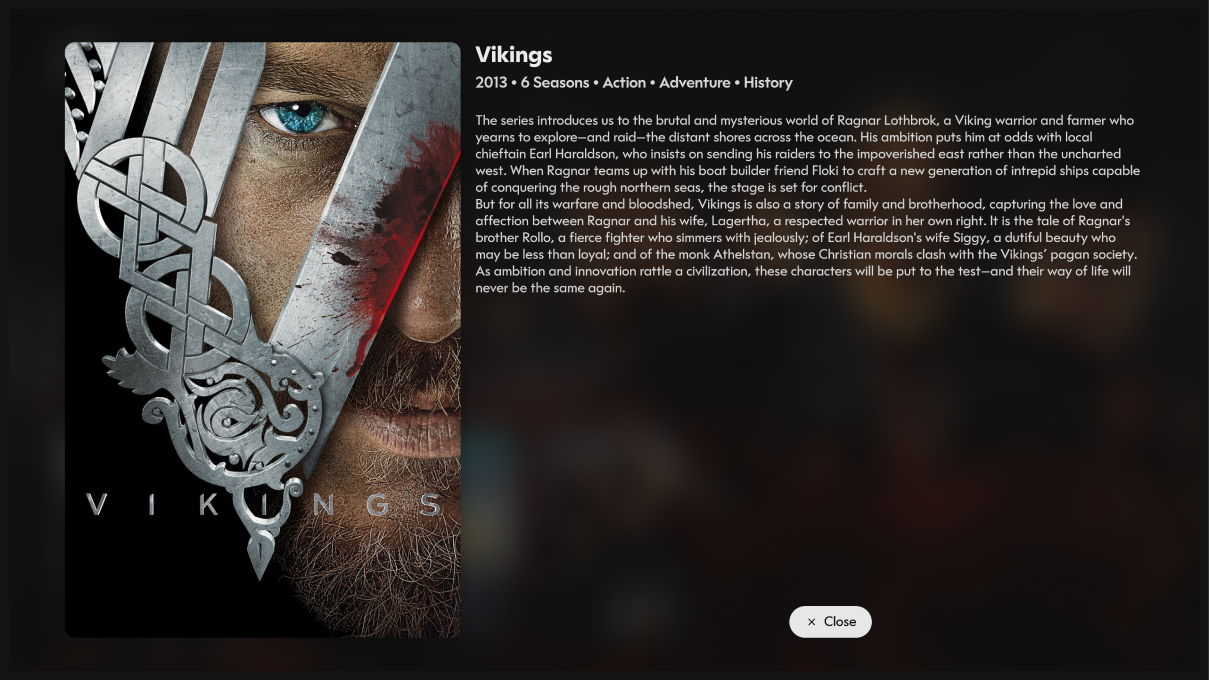
Show Detail Experience
- Key artwork
- Genre and metadata
- Description
- Primary actions

Episode and Content Details
- Poster artwork
- Show branding
- Detailed description
- Episode and season information

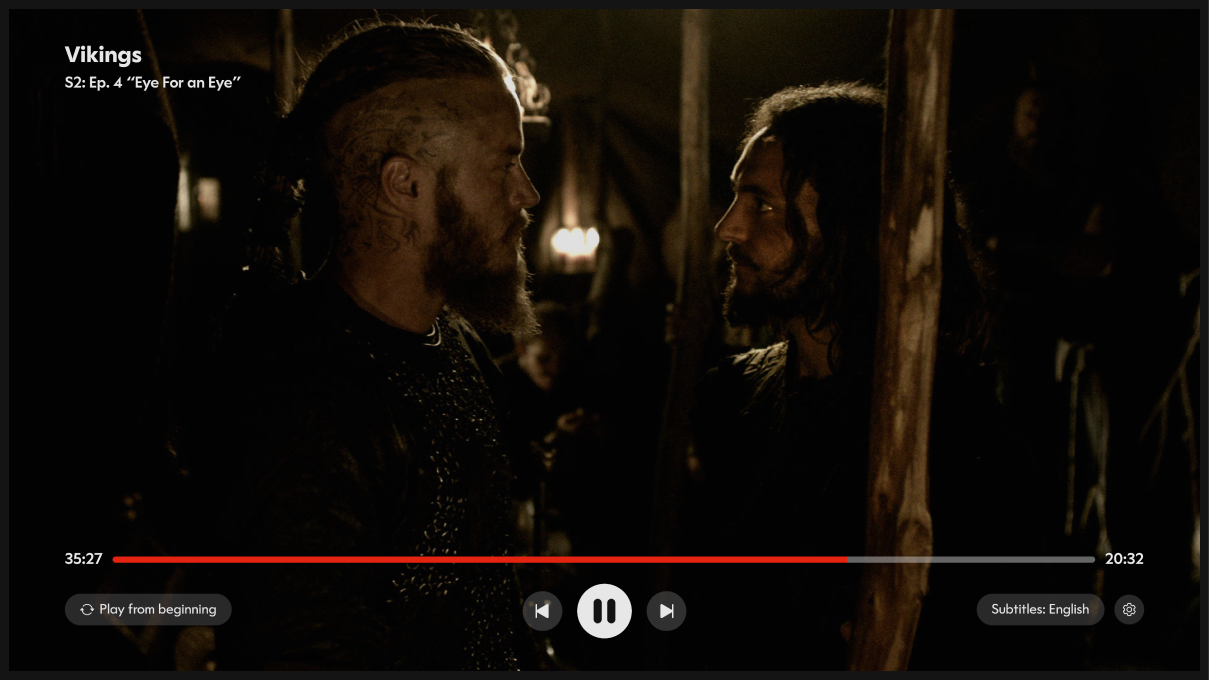
Video Playback Design
- Large central playback controls
- Clear progress tracking
- Quick restart functionality

tv 3a
tv 4a
tv 5a

Usability Testing

We conducted usability testing with participants familiar with streaming platforms.

Participants were asked to complete tasks such as:

- Finding a live TV program
- Resuming a previously watched show
- Browsing for a new series

Insights
Users preferred visual browsing over menu-based navigation, reinforcing the decision to emphasize large artwork.

Results

After iterations and usability improvements, the design achieved measurable improvements:
- 40% faster content discovery
- Participants located desired content significantly faster
- Improved navigation confidence
- Users reported the interface felt more predictable with remote controls

Curiosity

I approach design through a product filtering—balancing user needs, business goals, and technical constraints. I'm focusing on: simplifying complex systems, scalable solutions and intuitive user flows.